
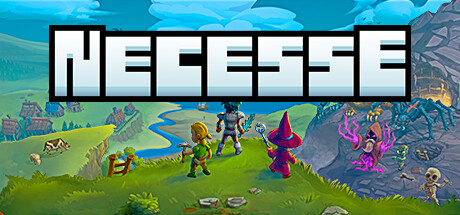
If you love Terraria's increasingly deep dungeon exploration and varied character builds, but also want to recruit a whole group of NPC villagers to farm, chop wood, forge equipment, and make deliveries as in RimWorld, the top-down sandbox Necesse may be the game you have been missing! Its recent overhaul rebuilds the graphics and lighting, refreshes character animation and environments, and expands the automated command system for Settlements. Gather a few friends, become lords, build a great city, and lead dungeon expeditions for a comfortable co-op adventure!
Why Is Necesse Great for Relaxed Progression with Friends?
- Convenient automated work for villagers: Raise a settlement flag and recruit blacksmiths, farmers, lumberjacks, guards, and mages. Set workflows like a real lord issuing orders on parchment: “The blacksmith smelts iron ore into steel ingots and makes arrows,” or “The farmer harvests wheat and puts it in the designated granary.” Spend a full day battling in dungeons and return to warehouses neatly stocked by the villagers!
- Layered dungeons and intense boss fights: Dozens of distinct environments range from forest dungeons and snowy caves to swamp temples and desert depths. Boss bullet patterns test teamwork: melee tanks raise shields under pressure, ranged attackers target weaknesses, and mages control the battlefield with broad ice and fire spells. The pace is tight and exciting.
- Strong multiplayer performance and a small footprint: The game is lightweight and runs smoothly on low- and mid-range laptops. Even dozens of automated villagers and hundreds of monsters on screen leave frame rates steady, making it easy for friends to play together whenever they like.
Avoiding Pitfalls: Why Use a Separate Dedicated Server?
When a personal computer hosts the world, all settlement work and crop growth stop when the host leaves the game. A dedicated server running around the clock lets villagers produce resources day and night:
- Server AppID:
1169370(anonymous SteamCMD download) - Core communication port:
UDP 14159(main game communication) - Configuration file:
server.cfg(world-save interval, player-slot limit, and settlement tax multiplier) - Complete setup guide: For installation and parameter settings, see Necesse Dedicated Server Setup and server.cfg Tuning.
An Easier Way to Manage Your Squad's Server
We recommend our open-source LanGame Server Manager (LGSM) (GitHub: SZSLGJCOM/LanGame-Server-Manager). Its Necesse module provides one-click download and startup, automatic avoidance of port conflicts, and scheduled world snapshots to protect against accidental save damage!
Playing Across Networks and Joining the Server
- With a public IP: Forward UDP port 14159 on your router. Friends can enter
public-IP:14159on the join screen to reach your settlement. - Without a public IP on rental or campus networks: Everyone can open the LINK feature in LanGame OS Orbit, form an encrypted virtual LAN, and connect using the generated virtual network adapter IP. The encrypted P2P tunnel ensures zero packet loss!