
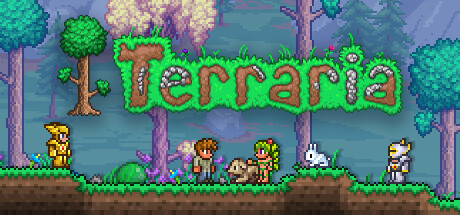
If one multiplayer game deserves recognition for weapons and boss bullet patterns that outshine major 3D action titles despite using 2D pixel art, it is Terraria! The milestone 1.4.4 Labor of Love update refines every class path and adds the mysterious Aether biome with the extraordinary transmutation liquid Shimmer, bringing the game's wealth of content to its fullest form. Gather the friends who once got flattened by Skeletron in the dungeon and return tonight for an epic expedition!
Why Is Terraria Multiplayer Progression So Compelling?
- Four distinctive classes create enjoyable teamwork: Melee fighters raise shields, draw aggro, and wield the Zenith; ranged players fire Phantasm bows and dolphin-themed guns from afar; mages fill the screen with Meteor Staff and Last Prism spells; summoners command armies of minions and stack vulnerability with whips. Against brutal Master Mode or “drunk world” bosses, solo play leaves little room for error. Sharing Buffs and aggro lets a full-class squad expertly navigate the barrage.
- Shimmer breaks resource limitations: Hidden underground near the Jungle's outer edge, the Aether contains miraculous Shimmer. It can disassemble items into raw materials, upgrade or transform particular items—such as Vital Crystals, Arcane Crystals, and Shimmer Slimes—and even give NPCs striking visual transformations, adding surprises to otherwise tedious material grinding.
- Extensive endgame equipment and infrastructure: Build a map-wide two-way teleporter network, an express minecart track straight through the Underworld, enemy farms, and fully automated herb greenhouses. Gathering all the materials together to craft the Zenith, an ultimate expression of 2D action, brings incomparable team satisfaction.
Avoiding Pitfalls: Why Use a Dedicated Server for Multiplayer Progression?
The biggest downside of local hosting is that everyone gets kicked when the host turns off the computer for bed. Hardmode biome spread, growing NPC populations, and Goblin invasions also put a heavy load on that computer. A dedicated server running around the clock lets anyone with spare time log in to mine and build:
- Core communication port:
TCP 7777(main communication port) - Configuration file:
serverconfig.txt(autosave interval, world difficulty, password, and player limit) - Complete setup guide: For automated installation and configuration, see Terraria Dedicated Server Setup and Automated serverconfig.txt Configuration.
An Easier Way to Manage Your Squad's Server
We recommend our open-source LanGame Server Manager (LGSM) (GitHub: SZSLGJCOM/LanGame-Server-Manager). Its Terraria template provides one-click small, medium, or large world generation, automatic port detection and conflict avoidance, and scheduled complete live map backups before and after Hardmode, protecting saves when enemies crash the server!
Playing Across Networks and Joining the Server
- With a public IP: Forward
TCP 7777on your router. Friends can chooseMultiplayer -> Join via IPfrom the main menu and enterpublic-IP:7777to arrive at the Guide's wooden cabin. - Without a public IP on rental or campus networks: Everyone can open the LINK feature in LanGame OS Orbit, enter a private encrypted room, and connect using the generated virtual network adapter IP. The encrypted P2P tunnel offers low latency and zero packet loss!